> ## Documentation Index
> Fetch the complete documentation index at: https://continue-docs-dependabot-npm-and-yarn-docs-typeorm-0-3-30.mintlify.site/llms.txt
> Use this file to discover all available pages before exploring further.

# Install

> Get Continue installed in your favorite IDE in just a few steps.

<iframe width="100%" height="400" src="https://www.youtube.com/embed/gjekTru4Cg4" title="Install Continue VS Code Extension" frameborder="0" allow="accelerometer; autoplay; clipboard-write; encrypted-media; gyroscope; picture-in-picture" allowfullscreen />

<Tabs>
  <Tab title="VS Code">
    <Steps>
      <Step title="Install from Marketplace">
        Click `Install` on the [Continue extension page in the Visual Studio Marketplace](https://marketplace.visualstudio.com/items?itemName=Continue.continue)
      </Step>

      <Step title="Install in VS Code">
        This will open the Continue extension page in VS Code, where you will need to
        click `Install` again
      </Step>

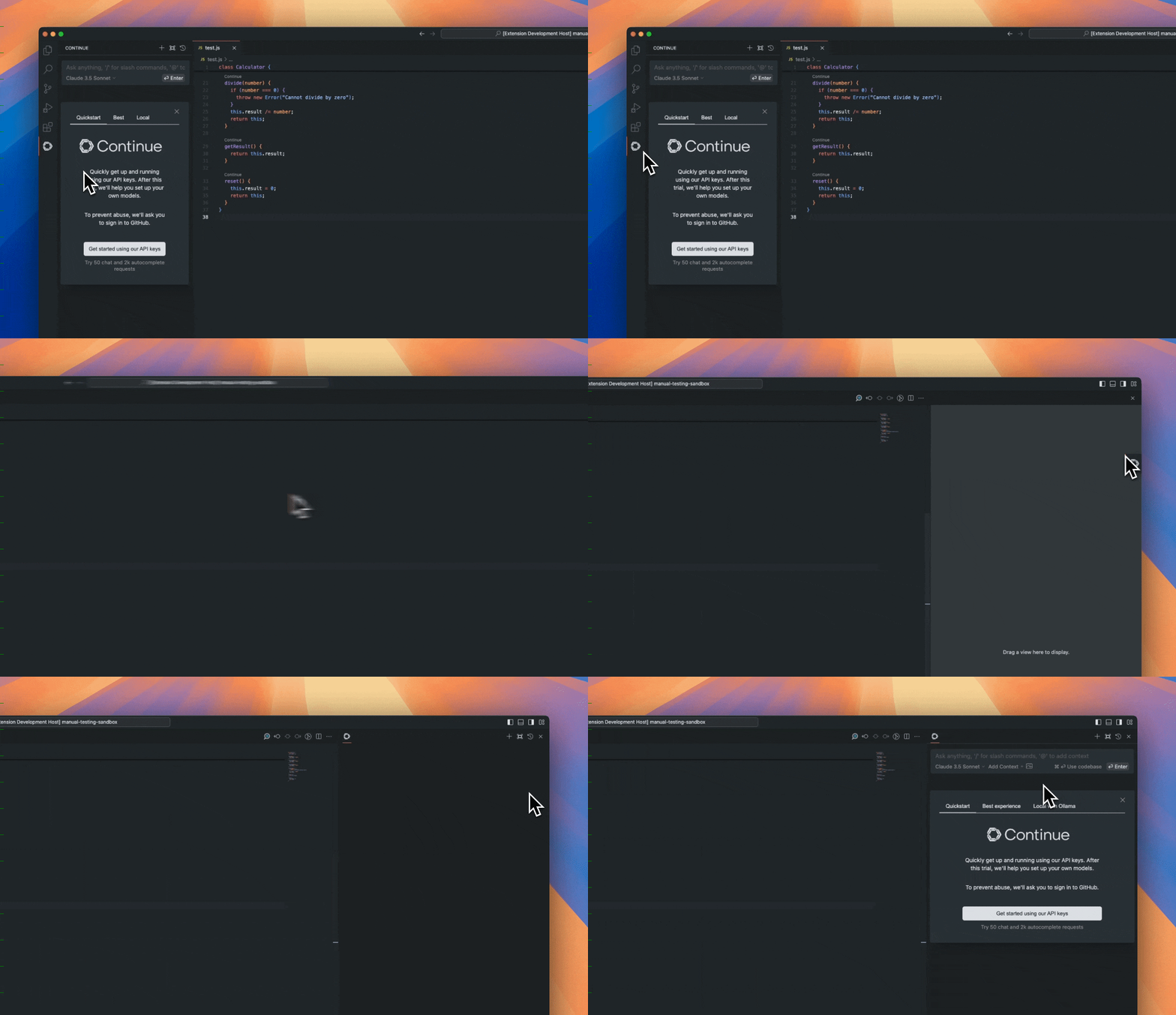
      <Step title="Move to Right Sidebar">
        The Continue logo will appear on the left sidebar. For a better experience, move Continue to the right sidebar

        <img src="https://mintcdn.com/continue-docs-dependabot-npm-and-yarn-docs-typeorm-0-3-30/JAUv0tmtGNg9ecJF/images/move-to-right-sidebar-b2d315296198e41046fc174d8178f30a.gif?s=34d8225bba03e1b21040268cfda7000a" alt="move-to-right-sidebar" width="1250" height="720" data-path="images/move-to-right-sidebar-b2d315296198e41046fc174d8178f30a.gif" />
      </Step>
    </Steps>

    <Info>
      If you have any problems, see the [troubleshooting guide](/troubleshooting).
    </Info>
  </Tab>

  <Tab title="JetBrains">
    <Steps>
      <Step title="Open Settings">
        Open your JetBrains IDE and open **Settings** using `Ctrl` + `Alt` + `S`
      </Step>

      <Step title="Find Continue Plugin">
        Select **Plugins** on the sidebar and search for "Continue" in the marketplace
      </Step>

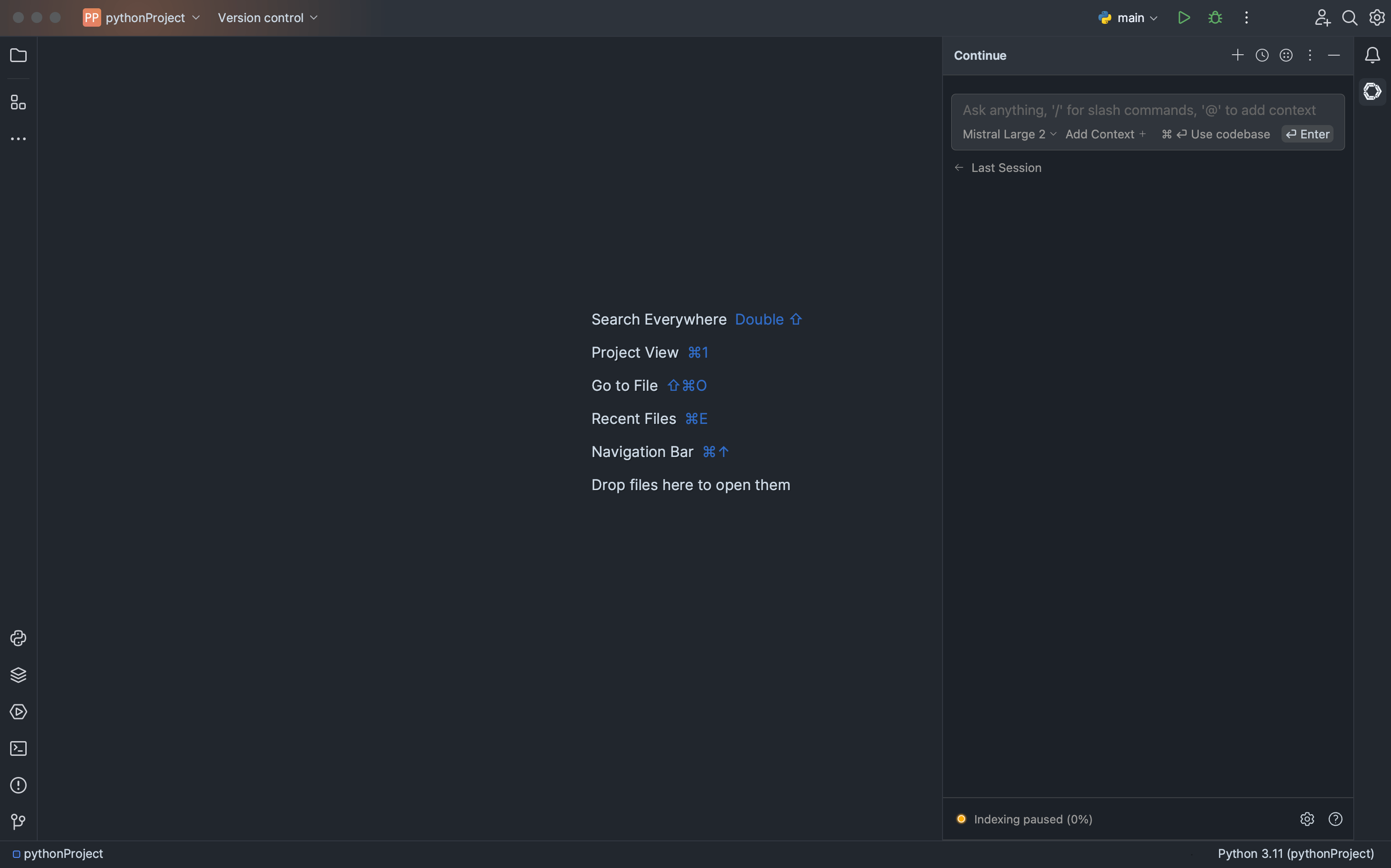
      <Step title="Install Plugin">
        Click `Install`, which will cause the Continue logo to show up on the right toolbar

        <img src="https://mintcdn.com/continue-docs-dependabot-npm-and-yarn-docs-typeorm-0-3-30/0XIYiEww55lHvD4m/images/getting-started/images/jetbrains-getting-started-d62b7edee1cdd58508c5075faf285955.png?fit=max&auto=format&n=0XIYiEww55lHvD4m&q=85&s=9cdbe9a3a6d9c98110b35efd59e0261d" alt="jetbrains-getting-started.png" width="3024" height="1888" data-path="images/getting-started/images/jetbrains-getting-started-d62b7edee1cdd58508c5075faf285955.png" />
      </Step>
    </Steps>

    <Info>
      If you have any problems, see the [troubleshooting guide](/troubleshooting).
    </Info>
  </Tab>
</Tabs>
